

YouTube is the second biggest search engine on the planet, with more than two billion people signed in every month, and 38 YouTube stats marketers need to know confirm the platform’s dominance in video advertising. According to 25 YouTube stats marketers should know, around nine out of ten shoppers say video helps them decide what to buy. With numbers like that, it is easy to see why a clear YouTube advertising guide can change how a channel grows.
At the same time, the ad side of YouTube scares many creators and marketers. Google Ads menus look confusing, there are lots of formats and settings, and it feels risky to spend hard earned money without a clear plan. Organic tactics like thumbnails, titles, and watch time still matter a lot, but ads are a different skill set and many stop before they even launch their first campaign.
This is where a simple, step based framework helps. Paid YouTube ads can push a video in front of exactly the right viewers, while organic content and authentic engagement build long term trust. When both parts work together, a channel stops relying on luck and starts running more like a real media brand. In this YouTube advertising guide, I will walk through formats, creative, targeting, setup, optimization, and how services like HypedX fit into the bigger picture.
By the end, you will know how to pick the right ad format, set up a campaign inside Google Ads, read the numbers that matter, and fix the most common problems. You will also see how authentic, policy safe view growth can make every dollar of ad spend work harder. If YouTube ads have felt too technical or expensive, this step by step framework will make the whole process feel simple and doable.
As I often tell creators, “Think of YouTube ads as paying to test ideas faster, not just paying for views.”
Key Takeaways
This guide shows how YouTube advertising fits inside Google Ads, how it supports organic growth, and why creators at every stage can use it without needing a huge budget. By following the steps, a channel can move from guessing to using clear settings and numbers.
Understanding each ad format makes it far easier to match campaigns to real goals, whether that is awareness, subscribers, or sales. When the format fits the goal, creative ideas come faster and wasted views drop.
Strong creative and smart targeting work together, so this guide spends time on both. You learn how to structure videos that hook people in the first five seconds and how to reach only the viewers who are most likely to care.
HypedX shows how authentic engagement services can support ads instead of replacing them. Real, high retention views build social proof and help the algorithm trust your content, which makes paid campaigns perform better.
Ongoing optimization matters as much as launch day. The framework here explains which metrics to watch, how to test new ideas, and how to scale budgets step by step once a campaign starts to pay off.
Understanding YouTube’s Advertising Platform
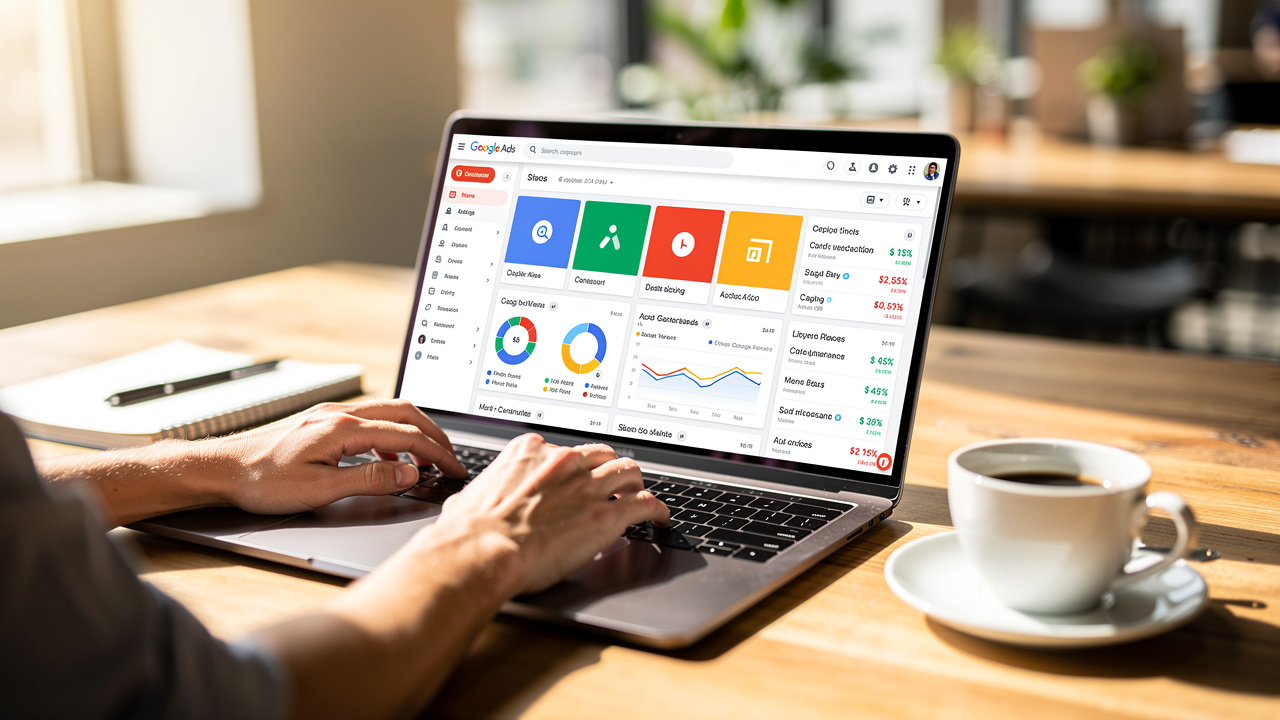
YouTube ads run through the Google Ads platform, not inside YouTube alone. That means the same engine that powers search and display ads also runs your video campaigns. You pick goals, set budgets, choose targeting, and Google Ads decides when and where to show your videos based on auctions that happen in real time.
The advantages are strong, as shown in Youtube Ads Statistics 2025: which reveal the platform’s reach and effectiveness for brands of all sizes. You can reach massive audiences, but still narrow down to specific ages, interests, topics, or even single channels. Video lets you mix sight, sound, and motion so people remember your message far better than a banner. On top of that, you get clear reports on views, clicks, watch time, and conversions, so you can see whether money turns into real results.
Most YouTube advertising lives at the top and middle of the marketing funnel. It introduces a channel or product, builds trust, and sends people to a site or other videos. Organic content and search traffic usually close the sale later. That means ads do not replace thumbnails, titles, or regular uploads. Instead, they give those elements a steady flow of new eyeballs.
There is also a difference between paying for ad placement and building social proof. Ads rent attention for a moment. Authentic view growth from services like HypedX builds a base of real viewers who watch longer and engage more often. When you mix both, good things happen. Ads give quick visibility, while real engagement lifts channel authority and makes the algorithm more friendly.
The rest of this YouTube advertising guide shows when to invest in paid traffic, when to lean on authentic view growth, and how to make the two approaches support each other instead of fighting for budget.
Comprehensive Guide to YouTube Ad Formats

Before recording a single frame, it helps to know which YouTube ad formats exist and what each one does best. Your format choice affects how long your video should be, how you pay, where the ad appears, and what kind of results you can expect. Picking the wrong format leads to awkward creative, weak performance, and confusing reports.
Below, I break down each core format in simple terms, with focus on when and why to use it as part of a smart YouTube advertising plan.
Quick Overview of Core YouTube Ad Formats
Ad Format | Skippable? | Typical Length | Pricing Model | Best For |
|---|---|---|---|---|
Skippable In-Stream Ads | Yes, after 5 seconds | 15–60 seconds (up to ~3 minutes) | Cost per view (TrueView) | Awareness, consideration, conversions |
Non-Skippable In-Stream Ads | No | Up to 15 seconds | Cost per thousand impressions | Broad reach and message recall |
In-Feed Video Ads | Viewer chooses to watch | Any standard video | Cost per view (on click) | Discovery, subscribers, channel growth |
Bumper Ads | No | Up to 6 seconds | Cost per thousand impressions | Quick reminders and frequency |
YouTube Shorts Ads | Skippable in Shorts feed | Under 60 seconds, vertical | Varies by campaign type | Mobile reach, younger and mobile first users |
Masthead Ads | Auto-play on Home feed | Varies | Reservation based | Massive reach in a short time window |
Responsive Video Ads | Skippable or in-feed (auto) | 10+ seconds | Conversion focused bidding | Leads and sales with conversion tracking |
Skippable In-Stream Ads
Skippable in-stream ads play before, during, or after other videos and show a Skip button after five seconds. There is no hard length limit, but it is wise to keep them under three minutes, with many high performers closer to 15 to 60 seconds. You pay only when someone watches at least 30 seconds, finishes the video if it is shorter, or interacts through clicks, which follows the TrueView pricing model.
Because you only pay for engaged viewers, this format works well for awareness, consideration, and even conversions. The first five seconds matter a lot, since that window decides whether people keep watching for free or skip.
Non-Skippable In-Stream Ads
Non-skippable in-stream ads are short clips, up to 15 seconds, that viewers must watch before they reach their chosen video. Payment is based on cost per thousand impressions, so the focus is reach rather than views. This format fits campaigns where message completion is very important, such as major brand pushes or product launches.
The advantage is clear: every viewer sees the full message. The creative challenge is to tell a complete, punchy story in a tiny time window, without feeling too aggressive. I use this format when I care more about wide exposure than deep storytelling.
In-Feed Video Ads (Formerly Video Discovery Ads)
In-feed video ads live where people go to discover new content. They can appear in YouTube search results, next to related videos, and on the mobile home feed. Each ad shows a thumbnail image, a headline, and short description, and when someone taps it they land on the watch page or your channel.
This format is strong for growing brand consideration, gaining subscribers, and encouraging viewers to explore more of your videos. The big advantage is that you reach people already in discovery mode, who choose to watch instead of being forced. That makes thumbnail design and headline copy very important, since those elements drive the click and the start of a long term viewer relationship.
Bumper Ads
Bumper ads are ultra short, non-skippable clips of up to six seconds. They run before, during, or after main videos and follow a cost per thousand impressions model. Because they are so brief, they work best as quick reminders for brand names, taglines, or simple offers, often in support of longer campaigns.
Viewers tend to accept them more easily since the interruption is tiny. Creative needs to focus on one clear idea, not a full pitch. I like using bumpers to reinforce a message people have already seen in other ads, especially for mobile heavy audiences that move fast through content.
YouTube Shorts Ads
YouTube Shorts ads appear between videos inside the Shorts feed and can be short video clips or image formats that viewers can skip. They are built for vertical, fast moving, sound on experiences that match how people consume short form content.
This format is strong for reaching action ready, mobile first viewers, especially younger demographics who spend a lot of time in Shorts. To work well, the creative must feel native to Shorts, with vertical framing, bold visuals, and a hook in the first second.
Masthead Ads
Masthead ads sit at the very top of the YouTube home feed as a large banner that auto plays without sound at first. This is a premium, reservation based placement that requires working with a Google sales contact. It is designed for brands that want massive reach in a short window, such as movie releases, game launches, or big events.
The main benefit is scale and prominence, since it is almost impossible to miss on the home screen. The tradeoff is high cost, so I see mastheads as a fit only when the budget and stakes are both very high.
Responsive Video Ads
Responsive video ads use Google’s machine learning to decide whether to show your video as a skippable in-stream ad or an in-feed ad for each impression. You provide a video of at least ten seconds and run it under the Drive Conversions campaign type. Google tests formats and placements to find what is most likely to trigger a conversion for each viewer.
This format works well when your main focus is leads or sales and you are happy to let the system pick where and how to show the ad. It is a good fit once conversion tracking is in place and you can judge performance on cost per action instead of just views.
Creating High-Converting Video Ad Content
No targeting trick or bidding tactic can save a weak video. The creative is the part viewers actually see, and it drives both attention and action. Ad content also needs a different angle from regular uploads. Organic videos can take time to warm up, but ads must hook cold viewers who did not ask to see you, then move them toward a clear next step.
I like to think of ad creative as a simple story. It starts with a hook, shows the problem, proves that you understand it, presents your offer, and ends with a direct call to action. That story can be funny, emotional, or very practical, but it needs to respect the viewer’s time and match the ad format they see.
As I often remind clients, “If you lose people in the first five seconds, the rest of the script is just practice.”
Proven Content Types That Convert
Some content frameworks show strong results again and again. Useful types for YouTube ads include:
Video testimonials – tap into social proof by letting happy customers share what changed for them. Since more than nine out of ten buyers say reviews shape their choices, hearing from real people carries more weight than any brand claim.
Feature and benefit videos – walk through what you offer and why it matters, but the best ones show instead of just telling. They focus on specific problems and clear outcomes, not long technical lists.
How-to videos – teach viewers something valuable tied to your product or niche, which positions you as a helpful expert during the consideration stage.
Case study videos – work especially well for business and software offers, since they use real data and real stories to calm doubts.
Overall, softer, value first content tends to win on YouTube, because people came to learn or be entertained, not to sit through a hard sell. Matching your content type to where viewers are in their decision process keeps ads from feeling pushy.
Video Production Styles and Budgets
You do not need a film studio to run strong YouTube ads, but you do need a style that fits your brand and resources:
Animation is great when you want to explain complex ideas in a simple way, such as dashboards, workflows, or abstract services. It usually calls for specialized skills or a hired pro, yet it gives a lot of creative freedom and a polished look.
Stop motion uses a series of still images to make objects move, which grabs attention because it feels different from standard footage. You can build it on a small budget with basic props or go big with detailed sets, so it scales up and down easily.
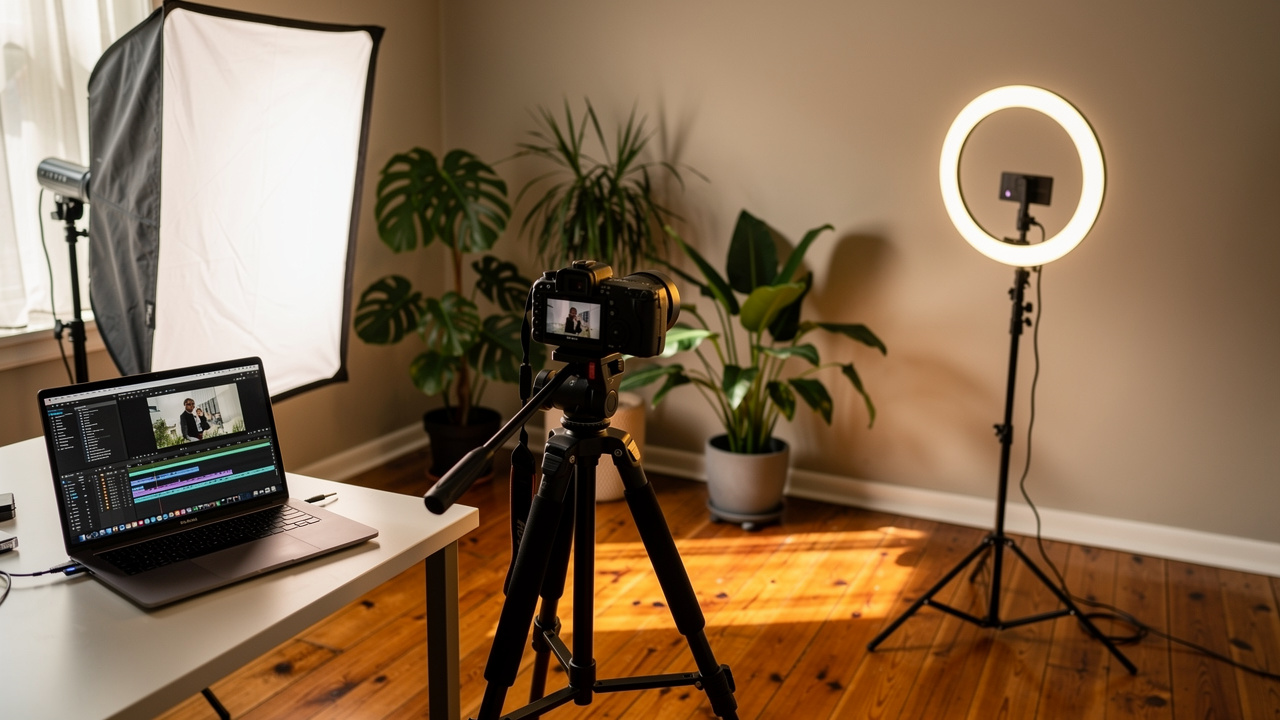
Live action shoots use real people and locations and often feel the most authentic. They can cost more, since you may need camera, lighting, and crew, but they shine when you want emotional stories or a face for the brand.
When choosing a style, I weigh brand identity, message difficulty, and budget. High production value helps, yet viewers often respond just as well to clear, honest videos filmed on a phone, as long as the message is strong and the sound is clean.
Video Creation Tools and Resources
Plenty of tools make video ad creation easier, even for beginners. Google Ads includes an Asset Library with simple templates where you can add logos, product shots, and text to build basic video ads at no extra cost. AI video makers such as Creatify.ai can turn scripts into fully formed clips, which is handy when you need many variations for testing.
Template based editors like Shakr and Promo give drag and drop interfaces with stock footage, graphics, and music, so you can produce professional looking videos without advanced editing skills. Freelance marketplaces such as Fiverr connect you with editors, animators, and camera pros at many price points. I like to match tools to both budget and comfort level, doing simple edits in house and bringing in pros for more demanding campaigns.
The Critical First 5 Seconds
Viewer attention on YouTube is short, and skippable ads give people the option to leave almost right away. The first five seconds decide whether someone stays, skips, or even remembers you at all. Hooks that work well include sharp questions, surprising statistics, bold visuals, or direct mentions of a pain point that your audience feels often.
What hurts performance is a slow title card, a logo flying around the screen, or generic openings that say nothing specific. I like to test several opening lines and visual beats, even when the rest of the video stays the same. For example, a game channel might show the most dramatic moment first, a cooking channel might reveal the finished dish before showing the steps, and a software brand might lead with a quick before and after comparison. The idea is to grab attention immediately, then weave the brand name in naturally once the viewer already cares.
Preparing Your Video for Advertising
A common beginner mistake is trying to upload a video directly into Google Ads. The platform does not accept raw files. Instead, every video ad must live on a YouTube channel first, and Google Ads pulls it from there using the watch URL. Setting this up the right way saves time and keeps your ad library organized.
Start by making sure you have an active YouTube channel for your brand or project. In YouTube Studio, upload your finished ad video just like any other upload. For visibility, you can choose Public if you want it to appear on your channel and in search, or Unlisted if you prefer to keep the feed curated. Unlisted videos do not appear in search or on your main channel page, but they work perfectly for ads as long as you have the link.
Once the upload finishes, copy the full video URL from the watch page, since this is what you will paste inside Google Ads. Even for Unlisted ads, it helps to write clear, descriptive titles and descriptions, because that metadata still feeds YouTube’s systems and can affect relevance. If you plan to run tests, consider uploading multiple versions with clear internal names and adding them to a special Ads playlist, which can also stay hidden. Before you move on, check that the content follows YouTube’s advertising policies so you avoid delays or rejections later.
Step-by-Step Campaign Creation in Google Ads
With your video ready on YouTube, the next step is to build the actual campaign inside Google Ads. This is where many people feel overwhelmed, but if you walk through each screen in order, the process is very manageable. Think of this part as telling Google who you want to reach, what you want them to do, and how much you are willing to pay.
Initiating Your Campaign
Log in to your Google Ads account and click the button that starts a new campaign. The first screen asks you to pick an objective, such as Sales, Leads, Website traffic, or Brand awareness and reach. You can also create a campaign without goal guidance if you want full control with fewer automated suggestions.
Your choice here shapes which bidding strategies and settings Google recommends. For example, a Sales goal will push you toward conversion tracking, while a Brand awareness goal leans toward impression focused settings. After picking the goal that matches your main outcome, choose Video as the campaign type. Getting these initial steps right avoids awkward limits later in the flow.
Choosing Your Campaign Subtype
Next, you select a campaign subtype, which locks in certain formats and options:
A Custom video campaign is the most flexible and lets you use skippable in-stream, in-feed, and bumper ads in one place. I often recommend this for beginners, since it gives room to test different creative types while keeping control over bidding.
Drive Conversions focuses on responsive video ads and uses Google’s systems to aim for as many conversions as possible. It is best when you already have clear conversion tracking and some data.
The Non-skippable in-stream subtype restricts you to that one format, which makes sense for short, impact focused campaigns.
Ad sequence campaigns let you show a planned series of videos in a certain order, great for storytelling or multi part education.
Because you cannot change the subtype later, take a moment to match it with your primary goal before you click next.
Budget and Bidding Strategy Configuration
Budget settings control how much you spend, while bidding strategies control how that money is used in auctions. You can choose a daily budget, which is the average amount you want to spend per day, or a campaign total budget, which spreads spend over the full date range. For testing, many advertisers start around ten to twenty dollars per day for at least one to two weeks, so the campaign gathers enough data.
Google may spend up to around double your daily budget on strong days, then balance it by spending less on slow days, so the monthly average still matches. For bidding:
Maximum cost per view (CPV) gives you direct control over the highest amount you will pay per view, which works well for skippable and in-feed formats but needs regular checks.
Target cost per thousand impressions (tCPM) fits awareness campaigns, since you decide what you are happy to pay for every thousand times your ad is shown.
Maximize conversions and Target cost per action (tCPA) both use automation to seek more conversions, but they perform best when you already track many conversion events.
Pick the strategy that matches your goal and experience level, knowing you can test different ones over time.
Network, Location, and Language Settings
Networks decide where your video ads can appear. You can choose to show on YouTube videos only or include video partners on the Display Network, which extends reach to other sites and apps. For first campaigns, I often suggest starting with YouTube only, since it gives clearer feedback on creative and targeting.
Location targeting lets you pick countries, regions, or even a radius around a point, so you can focus on markets that matter, such as the United States, the United Kingdom, Germany, or specific cities. Advanced options let you choose whether you want people currently in your chosen area or people who show interest in that area, which matters for travel offers. Language settings use the user’s Google language preferences rather than spoken language alone. When location and language work together, you reach viewers who both live in the right place and are likely to understand your ad.
Mastering Audience and Content Targeting
Targeting is where YouTube advertising either wastes money or drives strong returns. Good targeting narrows your reach to people who are likely to care, without shrinking the audience so far that you never leave the learning phase. Google Ads gives two main paths here: targeting based on who the viewer is and targeting based on what they are watching.
The art lies in combining these options in ways that match your buyer profile and your budget. I like to start with broader groups, then use data to refine over time instead of guessing every detail upfront.
Demographic Targeting
Demographic targeting uses basic traits such as age, gender, parental status, and household income. These filters are helpful as a first layer, especially when your offer clearly skews toward certain groups, such as high end B2B software or baby products. You can also exclude age ranges that never convert to protect your budget.
However, demographics alone are usually too broad to drive strong performance. Many users also fall into an Unknown bucket when Google does not have enough data about them. Because of that, I treat demographics as a way to shape the outer edges of my audience, then combine them with more detailed segments or content based filters for better accuracy.
Detailed Audience Segments
Detailed audience segments dive deeper into behavior and interests. Key options include:
Affinity audiences – reach people with long term passions, such as cooking fans, fitness lovers, or gamers, and work well when you want to build general awareness.
In-market audiences – focus on those who are actively researching products and ready to buy, which makes them powerful for conversion focused campaigns.
Life events segments – find people at key moments, from moving house to graduating, when buying patterns change quickly.
Your data audiences (remarketing) – with the Google tag on your site, you can create lists of past visitors. You can also build audiences of people who watched your videos, subscribed, or liked content on your channel, or upload customer email lists to reach or exclude known buyers.
Custom audiences – let you define groups based on search terms, visited URLs, or apps, which helps you mirror the behavior of your ideal viewers.
You can even stack several segments in one ad group to reach very precise pockets of traffic.
Content Targeting Methods
Content targeting cares less about who the viewer is and more about what they are watching right now:
Placement targeting lets you handpick specific channels, videos, websites, or apps where your ads will run. This is very effective when you know which creators already attract your audience. You can find these by searching YouTube for your main topics, checking popular videos, and then adding those placements inside Google Ads.
Topic targeting uses broad subject categories to show your ads on any content related to certain themes, like personal finance or home improvement. It casts a wider net than placements, which can help with scale.
Keyword targeting shows ads on videos that match certain words or phrases, often based on what people search. You can research these terms much like you would for SEO, then group them by theme in your ad groups. Negative keywords help keep your ads away from irrelevant content, which protects both performance and brand image.
Strategic Targeting Combinations
The strongest campaigns often use a mix of audience and content based targeting. For example, you might target in-market audiences for software and then limit placements to channels that review tools in your niche. You can create separate ad groups for remarketing, cold interest based audiences, and broad topic based traffic, then compare results.
It is wise to test both tighter and looser targeting to find the sweet spot between cost and volume. Google’s targeting expansion features can sometimes help reach extra users similar to your chosen audience, but I suggest using that later, once you already know what works. Remember that very narrow targeting makes auctions more competitive and may require higher bids, while very broad settings can lead to a lot of unqualified views.
Content Exclusions and Brand Safety
While reach is important, where your ads appear matters just as much. No brand wants to show up next to offensive or sensitive content. YouTube and Google Ads include controls that help you protect your image while still reaching enough people to hit your goals.
The key is to pick sensible defaults that reflect your values, then check where your ads run and adjust based on real data instead of fear alone.
Inventory Type Settings
Inventory type controls the overall range of content your ads are allowed to run on:
Expanded inventory gives the widest reach and includes some videos with mature themes, which can lower costs but may not fit every brand’s comfort level.
Standard inventory, which Google marks as recommended, cuts out most content that many advertisers avoid, and works well as a middle path.
Limited inventory is the strictest option, showing ads only on content that is considered very brand safe. This can shrink reach and increase costs, but some industries still prefer it.
I usually suggest starting with Standard, watching performance and placement reports, and moving wider or narrower based on what you see rather than guessing.
Specific Content Exclusions
Beyond inventory type, you can add extra filters to avoid certain content labels. These include sexually suggestive material, shocking or violent clips, strong profanity, and other mature themes. You can also block specific content types, such as live streams or embedded player views on external sites, if they do not fit your plan.
Sensitive category exclusions help you avoid topics such as tragedy, conflict, or heated social issues. Just remember that every extra exclusion cuts down your possible impressions. Go too far, and the campaign may struggle to spend or collect enough data. A good habit is to check placement reports, see which channels and videos your ads hit, and then block only the ones that truly clash with your brand or perform poorly.
Building Your First Video Ad
With campaigns, ad groups, and targeting ready, the last big step is to create the actual video ad inside Google Ads. This is where you connect your YouTube video, add links and text, and set the final details. Once you do this a few times, the workflow feels much faster.
Adding Your Video and Selecting Format
Inside your chosen ad group, click to create a new video ad and paste the YouTube URL you copied earlier into the search field. Google Ads will pull in a preview so you can confirm it is the right clip. Based on your campaign subtype and the length of the video, the platform will show which ad formats are available.
For example, very short videos may qualify for bumper placements, while longer ones may work only as skippable or in-feed. If a format does not appear, it usually means the video length or campaign subtype does not support it. Take a moment to preview how your ad will look on desktop and mobile so you understand the viewer experience.
Configuring Ad Details
Next, you fill in the core fields that decide where traffic goes and how your message appears:
The final URL is the page people land on after clicking. A focused landing page that matches the offer in the video almost always performs better than a generic homepage, and it should load fast and look good on mobile screens.
The display URL is the shorter, cleaner address that shows in the ad, often just your main domain with a simple path. Aim for something that looks trustworthy and easy to read.
For the call to action (CTA) button, pick clear verbs that match your goal, such as Learn more, Shop now, Sign up, Download, or Get quote.
The headline is a short line of text next to your video, with tight character limits in some formats, so every word counts. Use it to highlight a main benefit or offer instead of repeating your brand name.
Over time, you can test different CTAs and headlines to see which combinations draw more clicks and conversions.
Companion Banner Setup
On desktop placements, skippable in-stream ads can show a small companion banner next to the video. This stays on screen even after the main ad finishes, giving viewers another way to click through. Google can auto generate this banner from your channel art and thumbnails, which is fast but not always the most effective.
You can also upload a custom image, usually at a size around 300 by 60 pixels, that is designed for clarity and clicks. A strong custom banner often includes a short phrase, clean branding, and a simple visual that relates to the video. Testing different banner designs over time can lift overall results, especially for campaigns with a lot of desktop traffic.
Setting Bids and Launch Configuration
Once the ad itself is built, you are almost ready to go live. The last steps focus on how much you are willing to pay in auctions and double checking that everything matches your plan. These settings are not permanent, but starting from sensible numbers gives your campaign a better early run.
Understanding and Setting Your Initial Bid
Your bid tells Google Ads the most you are prepared to pay for a view or for a thousand impressions, depending on your strategy. The interface often shows a suggested range based on other advertisers and your targeting choices. Treat these numbers as a guide rather than a strict rule.
If you start with a bid that is too low, your ads may rarely show. If you go too high, you may pay more than needed. Many advertisers begin near the middle of the suggested range, then adjust based on performance data. Higher bids can help you win better placements, such as videos with more engaged audiences, but your ad quality and relevance score also play a part.
For some campaigns, you can add a top content bid adjustment to pay a bit more for the most popular videos on YouTube. In that case, small increases in the five to twenty percent range are usually enough to test the effect without burning budget. If you are unsure, you can start conservative and keep a close eye on impressions and costs.
Final Review and Launch Checklist
Before hitting publish, it pays to pause and review every piece of the setup. For a quick check:
Confirm that your campaign and ad group names make sense so you can read reports later without confusion.
Make sure your daily or total budget lines up with what you planned and that the bidding strategy matches your main goal.
Look over location, language, and targeting to make sure you are reaching the right viewers.
Double check the YouTube video URL, final URL, CTA text, and headline for typos.
Review content exclusions and inventory settings to match your brand safety needs.
If you track conversions, confirm that the tag or event setup works on your site.
After launch, your ads go into review, which often completes within one business day. If an ad is rejected, Google Ads will show the reason so you can adjust and submit again.
Essential Campaign Optimization Strategies

Launching a campaign is just the start. Real gains come from reading the data, spotting patterns, and adjusting based on what the numbers show. This part can feel dry, but it is where a YouTube advertising plan shifts from guesswork to a repeatable growth system.
I like to let new campaigns run for at least a week, and often closer to two, before making big changes, unless something is clearly broken. That delay gives Google’s systems and your own reports enough volume to show trends instead of random swings.
As many performance marketers like to say, “You cannot improve what you do not measure.”
Key Performance Metrics by Campaign Goal
The most important metrics depend on what you want from the campaign.
For awareness, focus on:
Impressions – how many times your ad appeared.
Views – when people watched at least thirty seconds or the full clip if it is shorter.
View rate – views divided by impressions, showing how engaging your creative is. Many campaigns fall in the range of fifteen to thirty percent.
Unique reach – how many different people saw your ad.
Average cost per view (CPV) – how much each engaged view costs.
For consideration, you still watch all of the awareness metrics, but you add:
Clicks and click through rate (CTR) to see how many viewers take the next step.
YouTube engagement stats like new subscribers, likes, shares, and earned views on other videos, which show whether people connect with your wider content.
For conversion focused campaigns, keep an eye on:
Total conversions, cost per conversion, and conversion rate, which is the share of viewers or clicks that complete your key action.
View through conversions, which count people who did not click but converted later after seeing the ad. These matter a lot for video campaigns.
The Power of Assisted Conversions
Many buyers do not convert the first time they meet a brand. They might see your ad on YouTube, search for reviews the next day, and buy through a direct visit a week later. In traditional last click reports, YouTube gets no credit in that story, even though it sparked the interest.
Google Ads Attribution reports help fix this by showing assisted conversions, where YouTube played an earlier role in the path. When you look at these numbers, you often see that video campaigns support sales even when direct conversion counts look low. That is why judging YouTube only by last click sales can cause under investment. By picking an attribution model that spreads credit across touchpoints, you get a fairer view and can defend budgets more easily. It also teaches patience, since there is often a time lag of several days or more between view and conversion.
A/B Testing Your Video Creative
Creative performance always fades over time, so testing new ideas is not optional. A simple A/B test compares two versions where you change just one main element, such as the opening hook, CTA, headline, length, or offer. By isolating one factor at a time, you can tell which part actually drove the difference.
You can run tests by creating separate ads in the same ad group or by using Google Ads experiments for more structured splits. Aim for enough impressions and views on each variant so that results are not based on random noise, which often means at least several thousand impressions per version. When one variant consistently beats the other on key metrics like view rate, click through rate, or cost per conversion, you can shift more budget toward it and think about what lesson it teaches for future creative.
Refining Your Targeting Based on Performance
Targeting works best as a living system, not a one time choice. Inside Google Ads, the report that shows where your ads appeared can reveal channels and videos that either perform very well or very poorly. For strong placements, you can create dedicated ad groups that focus more budget and higher bids there. For weak ones, you can exclude them to stop wasted spend.
Demographic reports show which ages and genders respond best. Audience segment reports can highlight which interests or remarketing lists drive conversions at a good price. If you see certain keywords or topics sending low quality views, you can pause them or add negatives. Location reports show which countries or regions perform well, so you can increase bids or split high performing areas into their own campaigns. Over time, these refinements shape a leaner, more effective targeting setup.
Understanding the Role of Authentic Engagement Services
Ads can send traffic, but long term YouTube success depends on how viewers and the algorithm react to your content. Early on, many channels face a cold start problem. Videos go live, but without views, watch time, and engagement, the system has no proof that they deserve wider reach. That is where authentic engagement services, when done right, can work alongside advertising.
HypedX focuses exactly on this space, not as a shortcut to replace strategy, but as a way to give good content the starting push it deserves. When used with care, it supports everything you learned in this YouTube advertising guide instead of competing with it.
The YouTube Growth Challenge
New channels and even established ones with new formats often struggle to get the first wave of views. YouTube’s algorithm gives more love to videos that earn early engagement, such as longer watch times, comments, and likes. When numbers stay low, even great content can sink without a trace.
There is also a very real social proof effect. Viewers feel more confident watching and sharing videos that already show strong view counts. In crowded niches like gaming, music, or education, standing out with low visible numbers is tough. Many creators also cannot afford to run large ad campaigns for every upload, and once they stop spending, momentum can fade fast. These challenges create a gap that smart, authentic engagement support can fill.
As I see time and again, “Ads can buy attention, but only real viewers can build a channel.”
How Authentic View Services Complement Advertising
Authentic view services like HypedX work best as a base layer that makes every ad dollar more effective. When a video starts with genuine, high retention views from real users, it looks and feels more trusted to both humans and the algorithm. That initial social proof can improve how viewers respond to your ads, since they see a video that others already watched.
HypedX lets you pick precise geographic targets across markets such as the United States, the United Kingdom, Europe, Germany, and Australia. This lines up nicely with your ad targeting, so you can build real audiences in the same regions you pay to reach. As authentic views and engagement stack up, YouTube’s systems read those signals and are more likely to recommend your content beyond paid placements. In practice, that means you can combine paid campaigns with HypedX view growth to get stronger organic reach while keeping ad budgets under control. Used together, the two approaches create a compounding effect that is hard to get from either alone.
HypedX’s Policy-Compliant Approach
Not all view services are safe. Some rely on bots or fake traffic, which risks channel penalties and wastes money. HypedX takes a different path by focusing on genuine, high retention views from real users, which supports long term channel health. The company uses Smart Delivery Technology to stay within YouTube’s policy rules while still pushing strong metrics.
You never share your password or account access, which keeps control in your hands. HypedX backs its service with a full delivery guarantee and round the clock support, so you are not left guessing about results. Because the pricing is highly competitive, it becomes realistic to pair HypedX with regular advertising for many creators and brands. That mix protects your account while helping your media spend work harder.
Advanced Campaign Strategies
Once the basics feel comfortable and your first campaigns show steady results, you can move into more advanced tactics. These approaches require a bit more setup and monitoring, but they can push performance higher and make your YouTube advertising guide feel even more powerful in practice.
The main idea is to speak differently to people who already know you, use your own data to target better, and gently win over audiences that follow your competitors.
Remarketing Sequences for Maximum Impact
Remarketing on YouTube means showing new ads to people who already interacted with your content or site. You can create audiences of viewers who watched your awareness ads, then send them follow up videos with deeper information, case studies, or stronger offers. Over three to five touches, you can tell a fuller story than any single ad could.
Frequency caps keep you from overwhelming people with the same creative. Because remarketing audiences are warm, bidding a bit higher for them often makes sense. Ad sequence campaigns let you strictly control the order in which people see your videos, so the narrative unfolds step by step. Later ads in the chain can include limited time offers or special bonuses to nudge action. When you compare remarketing sequences to single touch campaigns, you often see higher conversion rates and stronger brand lift.
Using Customer Match for Precision Targeting
Customer Match lets you upload email lists or other first party data into Google Ads and build audiences from them. You can use these audiences to show special ads to current customers, such as upsell offers, new feature announcements, or loyalty rewards. You can also exclude them from prospecting campaigns so you do not pay to advertise to people who already bought.
Once the list meets minimum size and privacy rules, Google can also create similar audiences that mirror the traits of your best buyers. Mixing Customer Match with interest or in-market segments gives you a sharp, efficient reach. Use cases include winning back churned customers with fresh value, cross selling related products, or running VIP campaigns just for your top spenders. Watching the long term value from these groups helps you shape future budgets.
Competitive Conquest Strategies
Competitive conquesting focuses on reaching people who follow or search for rival brands. Placement targeting allows you to run ads on competitor channels and videos, so their viewers see your message as they watch. You can also add competitor brand names as keywords, which reaches users who search for those terms on YouTube.
The most effective creative here often compares options in a fair, clear way and shows why someone might switch to you without attacking the other brand. You can also target broad audience segments that your competitors focus on and then stand out with a stronger offer or clearer messaging. It is important to follow YouTube’s ad policies and stay respectful. Competitive conquesting makes sense when you have a clear edge and enough budget to show up consistently. Track conversion rates and costs for these audiences separately to see whether the extra effort pays off compared to more general targeting.
Troubleshooting Common Campaign Issues
Even with a strong plan, campaigns rarely run perfectly from day one. Low reach, high costs, or weak engagement are normal bumps that every advertiser faces. The key is knowing how to read the symptoms and respond with clear steps instead of guessing.
In this section, I will cover three of the most common issues and how I work through them using simple changes rather than full resets.
Low Impressions or Views
When impressions and views barely climb, your ads are not winning enough auctions. Common causes include:
Bids that sit below the level other advertisers in your niche are paying.
Targeting that is too narrow, where stacked filters shrink the audience to a tiny size.
A budget that is too low for a competitive market.
To fix this, you can:
Nudge your maximum CPV or CPM up by twenty to thirty percent and watch whether impressions rise.
Check your audiences and content filters to see if you combined too many layers at once and test a version with fewer limits.
Increase the daily budget if possible so the system has more room to learn.
Always confirm that your ads are fully approved, since items stuck under review or disapproved will not deliver at all.
High Cost Per View or Impression
If you are paying a lot for each view or thousand impressions, your targeting or placements may be too competitive. Some audience segments, such as high income users in top markets, draw many bidders. Poor relevance between your creative and your chosen audience can also drive up costs, since Google favors ads that viewers respond to.
You can test fresh audience segments with less competition or expand geographic targeting to include regions with lower ad prices. Reviewing placement reports may show specific channels that charge a lot but do not convert well, which you can then exclude. Reducing top content bid adjustments can also bring prices back down. Finally, small improvements to your video’s hook, message, and landing page can raise engagement and help the system reward you with lower effective costs.
Low View Rate or High Skip Rate
A low view rate or very high skip rate points straight at creative and targeting fit. If many people skip as soon as they can, your first few seconds are not strong enough or the message does not match what they expect based on the content they were watching. Videos that are too long for the format or move slowly at the start often suffer here.
To improve things:
Test new openings that speak directly to a pain point, show a bold visual, or mention a clear benefit in plain language.
Make sure your targeting lines up with what the video talks about instead of going too broad.
Try shorter edits with sharper pacing, especially for top of funnel campaigns.
Add visual and audio pattern breaks during the video to keep attention from drifting.
Studying ads from top channels in your niche can also give ideas without copying.
Budget Management and Scaling
Managing budgets is where strategy meets finance. Spend too little, and you never get enough data to make smart changes. Spend too much without a plan, and you burn cash on weak campaigns. A good budget approach starts small, learns from results, then grows the winners in a controlled way.
It also respects that some goals need more money than others. Driving pure awareness often costs less per result than driving direct sales, but it may not pay back as quickly without a wider marketing system behind it.
Starting Budget Recommendations
For most new campaigns, a simple starting point is ten to twenty dollars per day for at least one to two weeks. This window gives enough impressions and views to judge performance without risking a huge sum. If you go far below that level, the campaign may struggle to leave the learning phase, and each small change will take a long time to show effects.
As rough monthly ranges:
Awareness focused campaigns often need three hundred to five hundred dollars at minimum.
Consideration campaigns tend to work better in the five hundred to one thousand range.
Direct conversion campaigns usually call for one thousand or more so algorithms can tune around real conversion data.
Always match budget to audience size and competition levels. Ads in markets such as the United States or the United Kingdom often cost more per view than in some other regions, so plan for that in your expectations.
Scaling Successful Campaigns
Once a campaign shows steady results with positive return on ad spend or strong cost per conversion, you can think about scaling. Sudden, very large budget jumps can shock performance, so it is safer to increase spend in smaller steps, such as twenty to thirty percent at a time, then watch several days of data. If metrics stay stable or improve, you can raise again.
You can also scale horizontally by creating new campaigns that copy your best settings but test fresh creative, new audience segments, or additional regions. Keeping winning ad groups and campaigns clean, without constant major edits, helps Google’s systems keep their learnings. As you grow, tie budget decisions back to business numbers like profit and lifetime value, not just view counts or click rates.
Conclusion
YouTube advertising does not have to feel like a maze. Once you understand the main formats, know how to build a clear campaign inside Google Ads, and keep an eye on the right metrics, the whole process turns into a repeatable framework. This YouTube advertising guide walked through that framework step by step, from creative planning and technical setup to optimization and scaling.
The most important themes stay the same across channels and niches. Strong ads start with sharp hooks and honest value. Smart targeting focuses on people and content that match what you offer. Good budgets give campaigns enough room to learn without risking more than you can afford. When results roll in, patient testing and small adjustments improve performance over time.
Finally, remember that paid ads and authentic engagement are partners, not rivals. Services like HypedX add real, high retention views and social proof that help the algorithm trust your content and make your ads work harder. If you combine thoughtful advertising with safe, genuine growth support, your channel can move from random spikes to steady, planned progress.
Frequently Asked Questions
How Much Experience Do I Need Before Running My First YouTube Ad?
You do not need years of marketing practice to start. If you understand your audience, have at least one clear offer, and can record a simple, honest video, you are ready. This guide gives the technical pieces, and you can learn the rest by starting small and watching the data.
Can I Run YouTube Ads Without a Big Budget?
Yes, many creators begin with ten to twenty dollars per day for a short test. The key is to pick one goal, such as views on a hero video or leads for a single offer, and to keep targeting focused. As you see what works, you can slowly increase spend on the best campaigns.
Do YouTube Ads Help Grow Subscribers or Just Sales?
YouTube ads can help with both, depending on how you set them up. In-feed ads are great for gaining subscribers and watch time, while skippable in-stream ads can send traffic to landing pages. With smart creative, you can ask viewers to subscribe, visit your site, or do both over time.
How Does HypedX Fit Into a YouTube Advertising Strategy?
HypedX supports advertising by bringing genuine, high retention views from real users to key videos. That early engagement makes your content look stronger to both viewers and the algorithm, which can improve ad results. Because HypedX uses smart, policy safe delivery and precise geographic targeting, it fits neatly beside your paid campaigns without risking your channel.
What Should I Do If My First Campaign Fails?
If your first results look weak, pause and review each part rather than giving up. Check creative first, especially the opening seconds. Then review targeting, bids, and budgets. Make one or two focused changes at a time, relaunch, and compare. Every advertiser faces rough campaigns at the start, and those tests are how you learn what your viewers respond to.